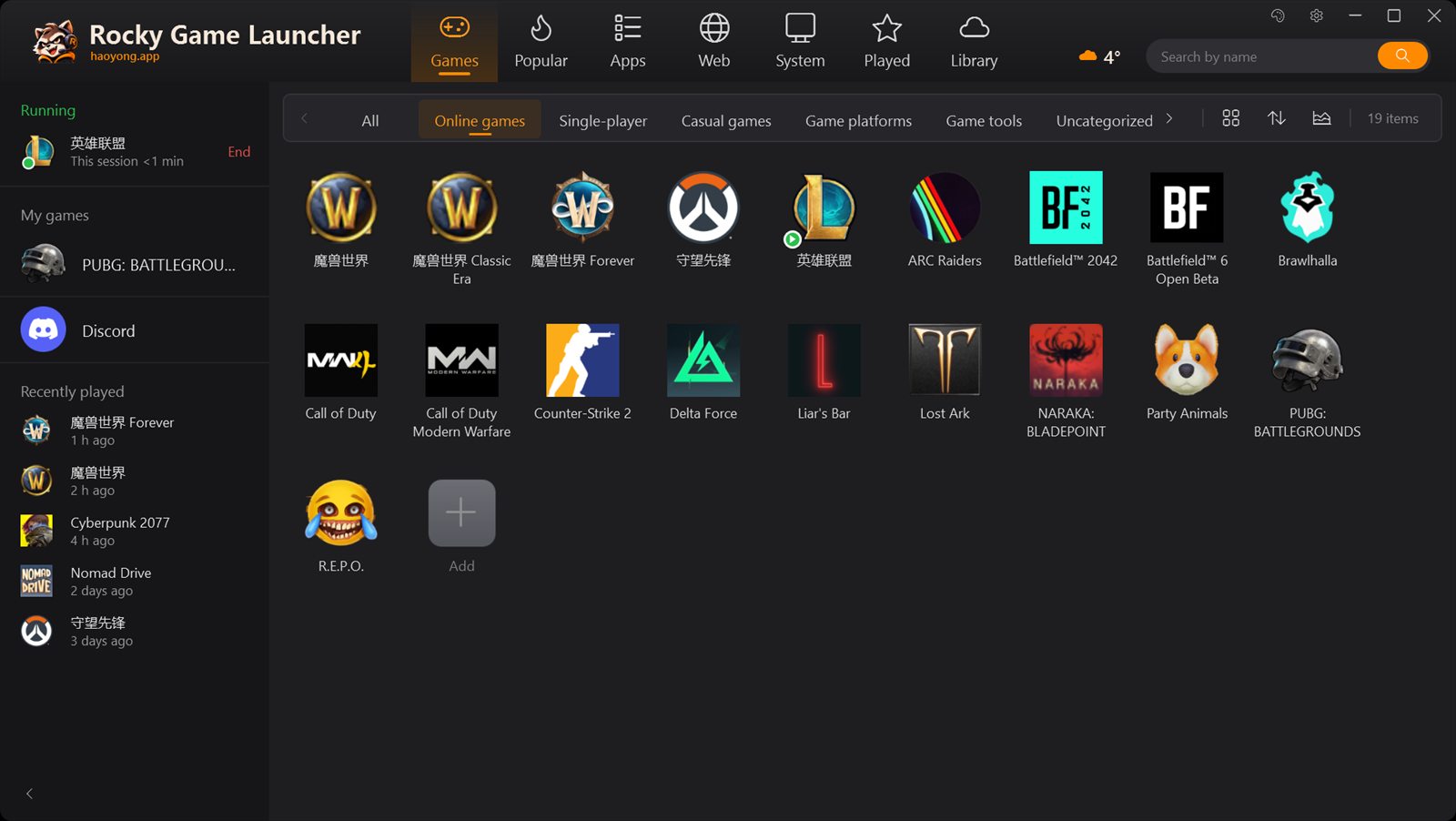
Your whole library on one wall.
Rocky scans Steam, Epic, GOG, Battle.net, Riot and your desktop shortcuts, then lays every game out as one big grid. Each one launches through its own client, so cloud saves and anti-cheat keep working.
- Every World of Warcraft edition gets its own tile and its own icon
- Search by name, or by pinyin initials
- Drag in any program, shortcut or website
- Lives in the tray; Ctrl+Alt+G brings it back
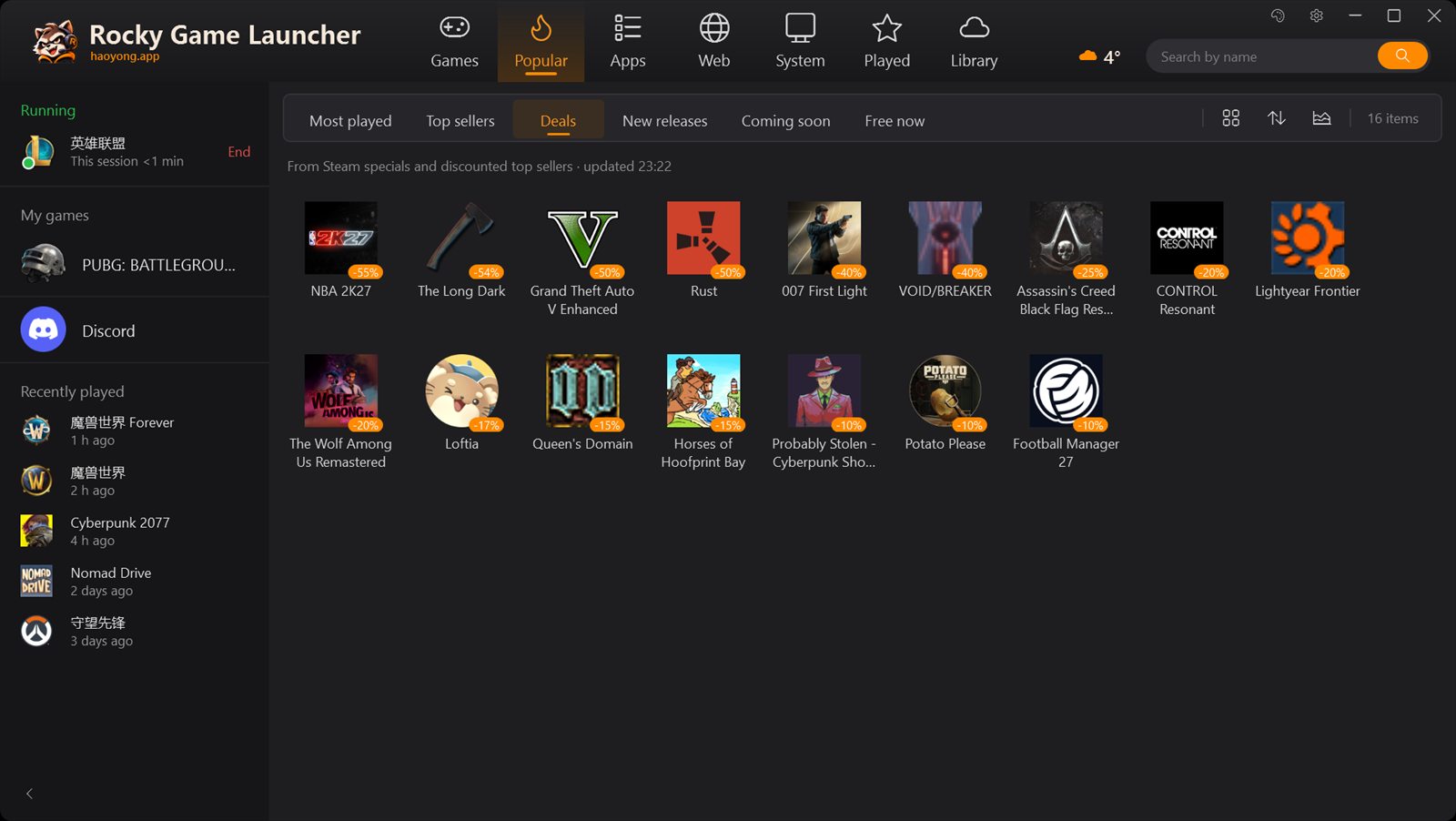
What everyone's playing tonight.
The Popular tab gathers the most played games, top sellers, deals, new releases, what's coming soon and what's free this week, plus a China top list. Every list says where it comes from.
Don't want it? One click in Options turns it off.
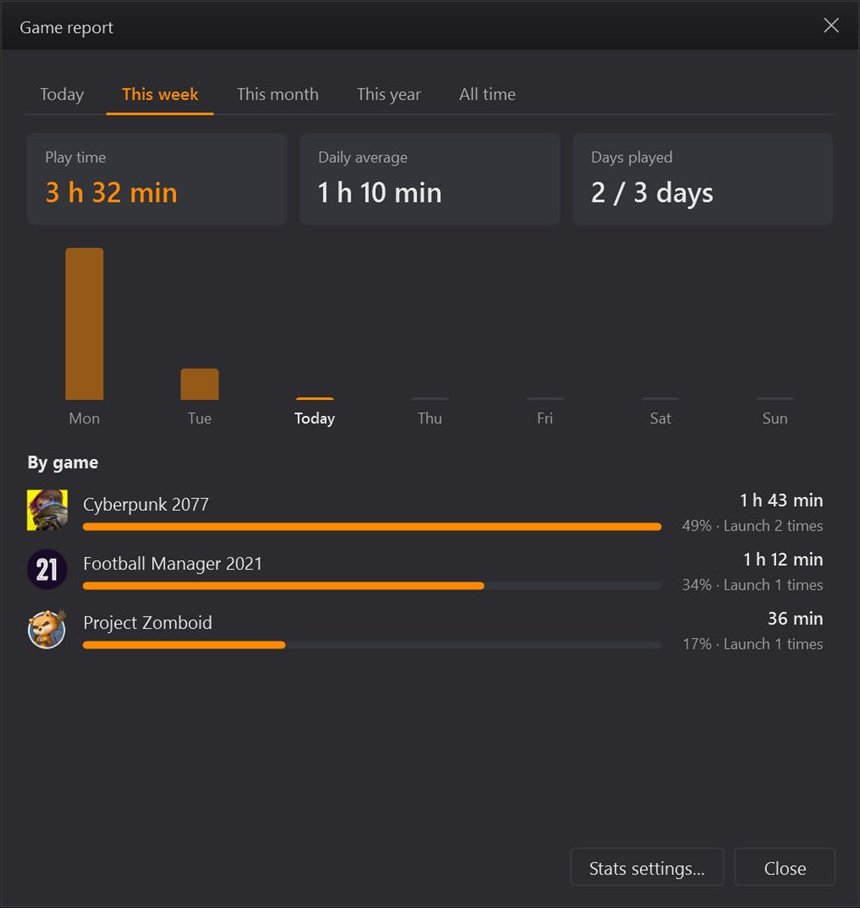
Your hours, counted honestly.
Rocky watches what's running, so time counts whether a game started from Rocky, Steam or a desktop shortcut. See today, this week, this month, this year or all time, game by game.
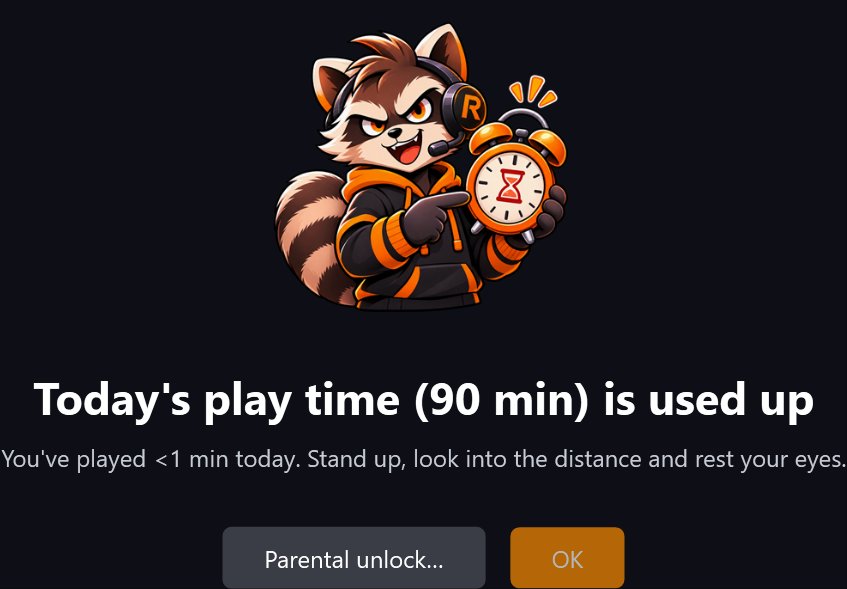
House rules for the family PC.
Set daily limits for weekdays and weekends, the hours games are allowed, and a parent password. When time is up, Rocky ends the game and says so plainly. An optional break reminder taps players on the shoulder after a long session.
Four looks, one menu.
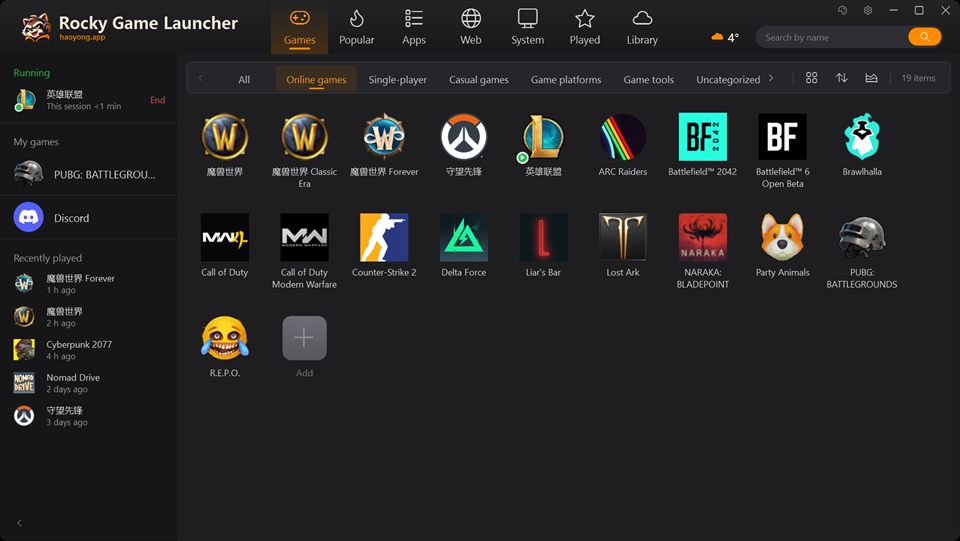 Dark
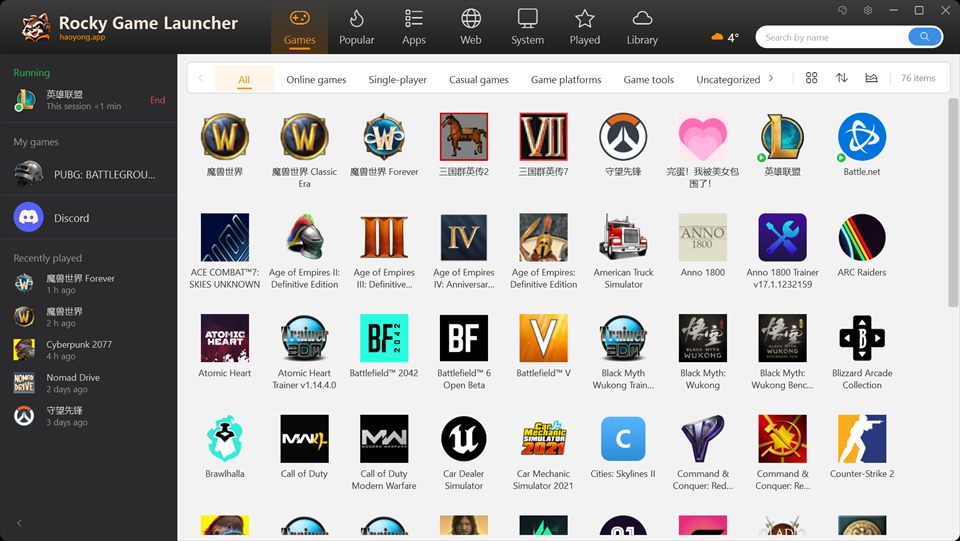 Light
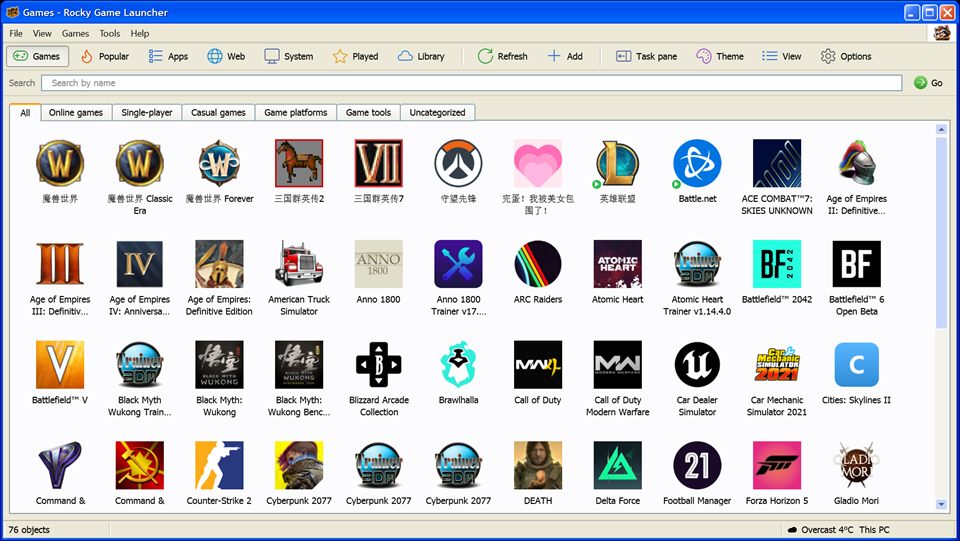 Windows XP
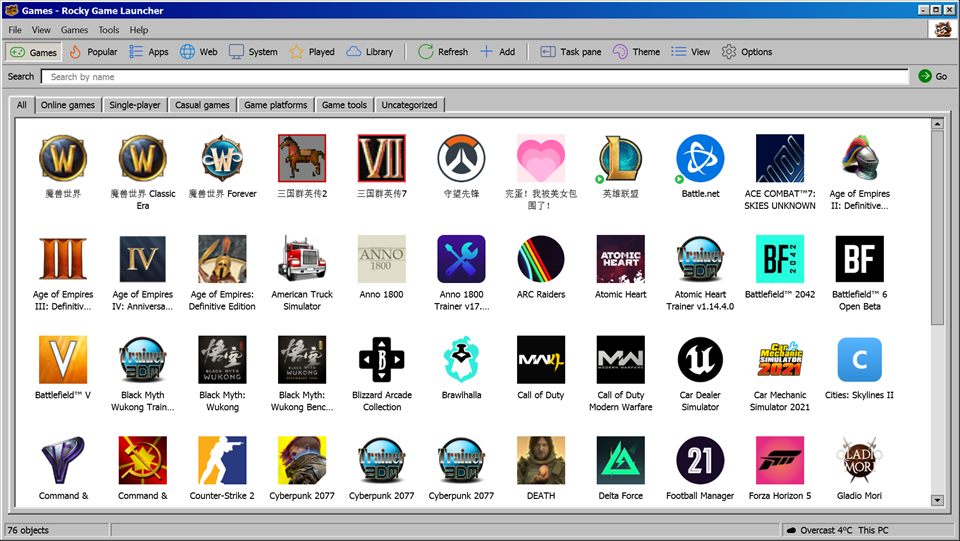 Windows Classic

No account. Nothing to sign in to.
Your games, play time and settings stay on your PC. Weather, Popular and notices are each optional, and one switch turns every online service off.

Your games are waiting.
 Download for Windows
Free · Version 2.0 · Windows 10 & 11
Download link coming soon
Windows 10 or 11, 64-bit · About 78 MB, nothing else to installEnglish · 简体中文 · 繁體中文